Linking File Issues
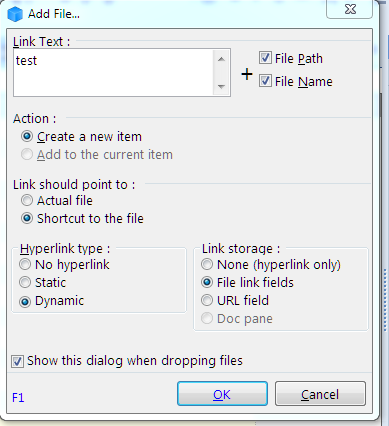
I tried to link a file by dropping into an empty Grid. I got this dialogue:
However, the item initially doesn't show in the grid:
- Read more about Linking File Issues
- 6 comments
- Log in or register to post comments
I tried to link a file by dropping into an empty Grid. I got this dialogue:

However, the item initially doesn't show in the grid:
Not sure if this a known issue - or even intentional? - but when I close IQ with an active filter, on re-opening the filter is remembered and still active for the grid. On disabling the filter, the manual order of the grid from before restarting IQ is lost and items appear ordered by creation timestamp or something. I don't think the intended order can still be recalled in such cases. Thanks!
I created a new toolbar and added some commands to it. Everything works as expected.
However, after I close and reopen IQ, the toolbar is gone. It is reproducible.
Is it a bug or do I somehow need to save it before closing IQ?
v.118g on WIN7
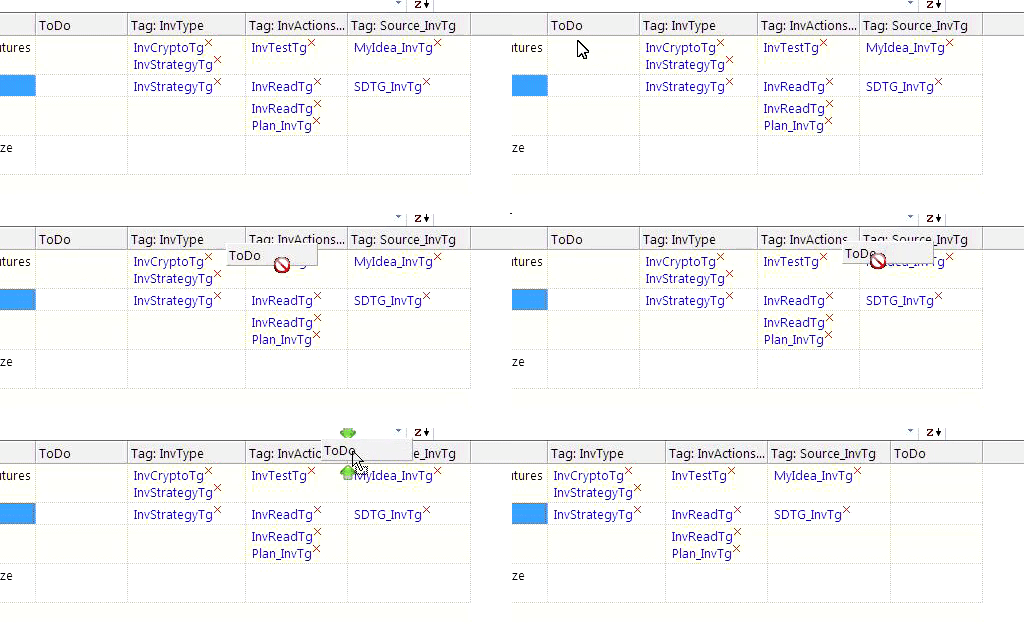
I tried to move my ToDo Column be the next to last column. When done it was instead put last. Here is a movie:

Dropping an item in the 'drop as child' location over the top half of an item will make it the child of that item (the one under the mouse cursor) rather than the item above it (which the red line indicates). 'Drop as sibling' works as expected both on the top and the bottom half of an item. Thanks.
When I have an item containin line breaks (made by Shift-Enter) and I go to the end of such a line an invoke the 'split item' command, the lower resulting item will begin with a blank line, which I then have to go back in to remove manually. I doubt anyone wants that blank line in there so a fix would be much appreciated. Many thanks!
Example:

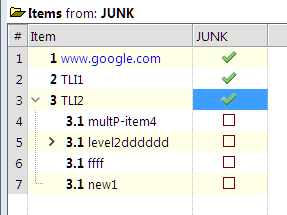
Shouldn't the labels read 3.1, 3.2, 3.3, 3.4 etc?
Unless something very strange is going on on my system, the right-hand pane on that dialog is no longer receptive to mouse clicks...
Since the recent "sensitivity fix" for the drag and drop operations, "lasso" style selection e. g. by dragging on the header column with the left mouse button down, no longer seems to work. Instead, the first item under the mouse is always dragged rather than the selection expanded. Thanks.
[IQ IM V118f on Windows 10 with region and language set to China and Chinese Simplified]
Dear team
I got issues when using Chinese in document pane, I saw a similar bug report earlier: https://infoqubeim.com/drupal5/index.php/node/4436.
But I can't fix the issues by seting the document pane option "Use UTF-8" on & off.
------------------------------------
Below is a sample: