Tag Columns are Replaced by Field Columns in Column Sets

Forums
I have a grid with the following columns:

I applied this column set to another grid (w/o any columns) and got this:
I have a grid with the following columns:
I applied this column set to another grid (w/o any columns) and got this:
Hi Pierre,
I am not sure how to troubleshoot this... Do you use Notepad++?
I open a script file (EasyLanguage) in Notepad++ and I have added a custom Language file for syntax coloring.
I then use the built-in plugin NppExport to copy HTML to clipboard.
I finally paste the HTML code into the Doc Pane.
This usually works fine.
However, sometimes, IQ hangs after successful pasting and the CPU goes to 25% (on a 4-core CPU) and my PC consequently barely responds.
Hi,
I'm using IQ v119pre4.
Just reporting that drag & drop from Vivaldi browser into IQ doesn't create an item.
Drag & drop from other browsers (Chrome, Edge, Firefox) is working properly.
Thanks,
Carlos
Minor Bug:
1. Select a column; The header is Gray and the text is Black.
2. Column|Color|Red => The Column Header turns Red and the text color changes from Black to White
3. Column|Color|None => The Column Header turns back to Gray but the text color is still White
4. Fix it by Column|Color|Yellow followed by Column|Color|None
BTW, is it possible to only color a specific cell in the column red (not the whole item)? If so, can it be done by an Auto-assignment?

Dunno if it's just a question of re-configuring a shortcut that was removed in the update but I suspect most users will want it back as the default behaviour.
Cheers
Per instructions here: https://infoqubeim.com/drupal5/node/321
I then selected "Yes, set it visible to other applications"
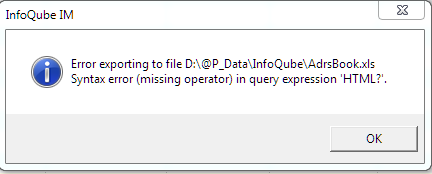
I get an error:
After restarting IQ, upon hitting enter for the first search from the Omnibox ('Search entire file'), unless Live-Search was the last selected grid in the previous session or it was the focused grid at least once before I do the first search, the ShownIn column for the upcoming Live-Search results is not populated with values. I have to re-focus the Omnibox to press Enter a second time to get the same results but with actual values in that column.
Open Customise dialogue and go to Keyboard tab:
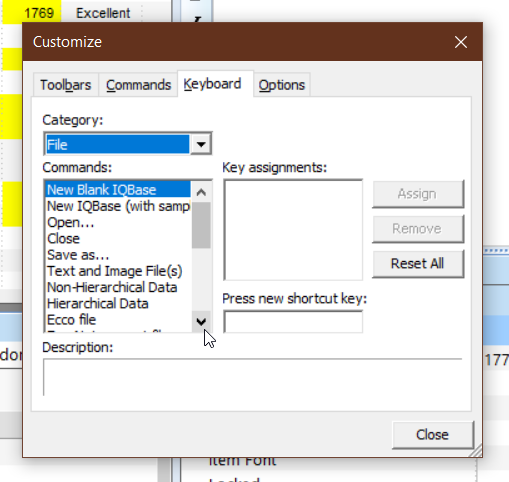
Press the arrows above and below the scrollbar -- you will probably have to click each twice to get it to work. These work untypically in that they go straight to the bottom or top of the list (this the first part of the bug and causes the second part).
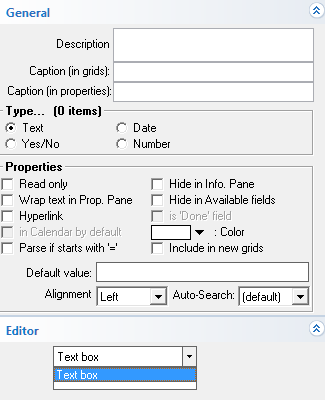
I can create a new Pop-Up List Field in v.117jPortable. However, in the current v.118j and v.118g, I don't have the option to select this in the Editor Drop-Down. I can only select "Text Box" :
I really like the Group by Bar feature (it works like Ecco's multi-folder View).
If I group using a Field column, the grouping is persistent after a refresh (F5).
However, if I group using a Tag column, the grouping is lost after a refresh (F5).