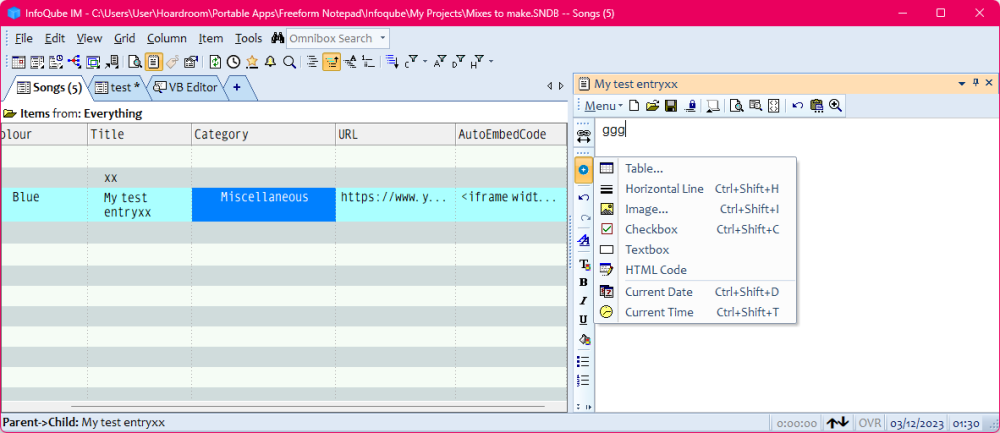
How do I make the value of a field be automatically inserted as HTML code within the content area?

How do I make the value of a field be automatically inserted as HTML code within the content area?

In the distant past I have used Microsoft Word as an outlining tool. I imported some of those outlines from Word to Ecco and finally to Infoqube.
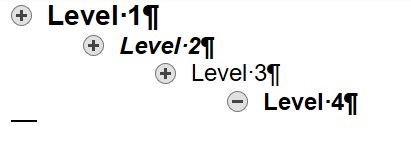
Word's Outline View looks like this:

Outline Level 1 is formatted with Style "Heading 1", and so on.
As the title says is it possible to setup the IQ to launch several databases with one click.
I think Windows allow shortcuts to do something like that.
Reason is I work with several different IQ databases at the same time and it's a hassle to set them up every time.
With the new nav pane, I've been exploring some new ways of organizing data. This led me to a question: Is there any way to configure item tags to be inherited by item children? Since neither the field [ItemTags] nor individual tag names appear in the 'Manage Fields' window , I'm not sure if there's a way to configure inheritance. (I suppose the ideal, eventually, would be able to configure this kind of inheritance on a per-tag basis... but perhaps I'm thinking about tags in the wrong way?)
InfoQube helpfully remembers which sub-nodes are expanded and which are collapsed, so if I collapse and then expand a parent item, the expand/collapse state of the children is retained. However, what if I want to collapse all items in a grid, such that when I expand a parent item the children will initially be collapsed? Is there a way to do this?
In auto-assignment rules, the vertical bar ("|") character is used to separate rules. But if I want to write a rule that makes an item become italicized, it seems like I would need to use:
[ItemFont] = "|I|"
However, it seems that this doesn't work, presumably because IQ interprets the vertical bar as a rule separation. Am I understanding this correctly, and is there a workaround?
Is there any way to turn off asterisks on tab names? I couldn't find anything in options.
With my set up, every time I open InfoQube I have to go through and open multiple tabs to make the asterisks go away so I can see all my tabs without having to scroll.
Wayne
I like to use Find and Filter>show in search grid. Why is the "Whole word only" option grayed out for this? Just did a search for "quest" and got many unwanted hits for "question". I couldn't find an answer in the manual.
The whole word option is available for Live-Search but this option locks up InfoQube for me most of the time.
Wayne
122q, Win10
I'm trying to change the colour of the row entry, based on what option I've chosen for the multi-select dropdown box. I mean the category field.
The problem is that it doesn't acknowledge the name of the category that I've chosen. It always ends up being purple, no matter what.
How can I use the replace() conditional formatting to change "watch" to "embed" automatically within my AutoEmbed field.
I tried reading the documentation but I couldn't get it to work, as the command's syntax wasn't well defined.