Dropdown box for filtering in panes, not just for sorting
For the book review sample project, or any other for that matter, see below how there's a dropdown box for sorting?
Can there be one for filtering as well?
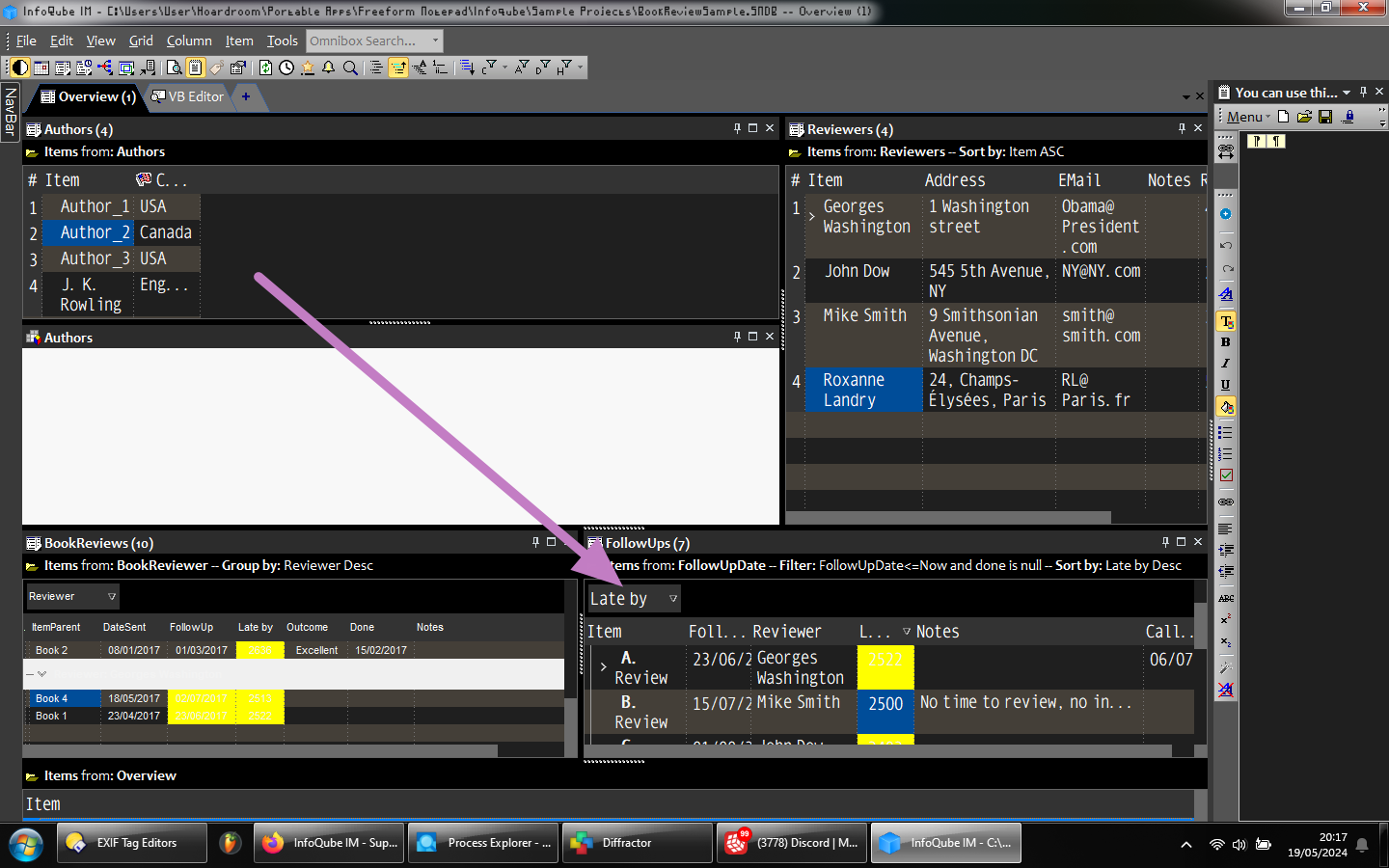
For the book review sample project, or any other for that matter, see below how there's a dropdown box for sorting?
Can there be one for filtering as well?

I want to create a form for quick candar entries. I don't know how to do this. All I need is Date - Time - Details. Can someone give step by step guidance here. Thanks.
When I paste text from an OCR'd pdf, I end up with a lot of "­"s (soft hyphens in original code).
eg "Supreme Court" becomes "Su­reme Court".
I'm trying to find a way to remove these without having to re-type each one.
InfoQube Find and Replace doesn't recognize them.
The only way I've found so far is to paste them into Word Pad to remove the formatting, but this replaces them with a dash, which still has to be removed. [update: doesn't work - the symbols re-appear later]
When you sort a text field in ascending order, is there any way to get blank entries to sort to the bottom instead of the top?
Wayne
Upgrade list says: "New: Items: Multiple improvements to file indexing, including support for URLs to PDF files"
I upgraded and don't see anything different. I can't find anything in the user manual. Is there some reference that explains what these are?
I was really hoping it was going to be the ability to link to specific pages inside a PDF. That would be a game-changer for me (I know it's a long shot).
Thanks, Wayne
Just found out the hard way that my back up hasn't been working for weeks. I've attached a screenshot of my back up database settings. I can't figure out why it isn't working.
As the thread title says
How do I do a word count? And is there a daily word count for words written today?
I have a very long list of a few hundred items that I'd like to arrange in outline form. I'd like to select items as I go through the list, and then move them to a parent item. The items I'd like to select are non-contiguous. The Marked Items would be good for this, except that when I use the Add As Sub-Items menu option, the destination item becomes an additional parent to the marked items. If the marked items already were child items of another item, they remain so; that parent item remains a parent item. But in this case I'd like to "move" the marked items, so that they become child
1) Select item>ctrl-B. This bolds all the text in the item field plus any other fields designated in Manage Grids.
2) Is there any way to then select part of the item text and "un-bold" it while keeping everything else bolded?
The only way I know to do this is to turn off bold for item text, then select and bold the text in each column, which is time-consuming.
I'm not asking for a new feature. I just wondered if there's a way to do it with existing commands.
Wayne
It is not as simple as copying MYAUXILIARYBRAIN.SNDB from the ..\InfoQubeV122qPortable\AppFiles\MYAUXILIARYBRAIN.SNDB.SNDB.Files to ..\InfoQubeV124.6Portable\AppFiles\MYAUXILIARYBRAIN.SNDB.SNDB.Files. When I double-click my SNDB file in the new V124.6 folder, the V122q version of IQ runs.
Perhaps related is the attached screenshot of the options for the V122q file containing a .Files path for the V124.6 copy of my SNDB file.